My Year in Code 2025
This is my yearly wrap up of the things I built in 2025. I worked on a bunch of side projects again this year, and these are the ones that actually turned into something I’m proud of.
I learned a lot from some of these projects. Some were pure curiosity. Some were just me building a random idea late at night because it would not leave my head.
Badee: Meditation app
Link: https://badee-landing.vercel.app/
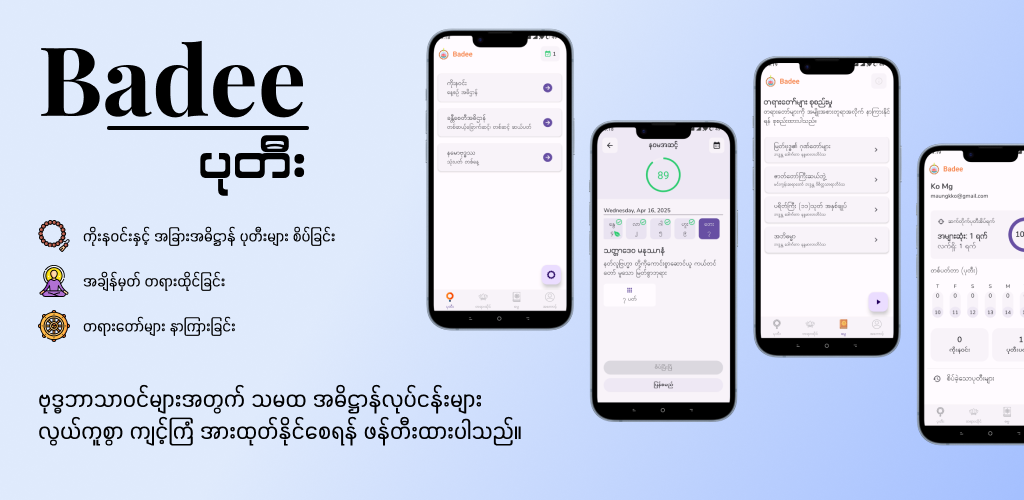
Badee is one of my most favorite projects. It’s a meditation counter app for Buddhists, and the main features are tracking daily recitations, showing target counts with a calendar, and listening to Dhamma audios.
My brothers and I came up with the idea for this app, and I started building it around June 2024. This is probably my most dedicated side project because I had to do research with existing apps, design UI and collecting assets while writing code and figuring things out along the way. This app might not be for most people, but I’m sure some people will find it helpful, as my family and I have been using it daily ever since.
- Rating: 9/10
- Although I found a few bugs and issues here and there, I’m planning improvements this year and hoping to release the app on the Play Store.
- Difficulty: 8/10
- I chose an unfamiliar stack at the start which made it fairly difficult due to the learning curve. Otherwise, it was a pretty straightforward build.
- Time spent: 10 months
- There might not be that many hours of coding, and I believe 60% of that time probably went into changing designs because I can be quite indecisive in designing UI.
Adrift: AI-powered journaling app
Link: https://adrift-dev.vercel.app/
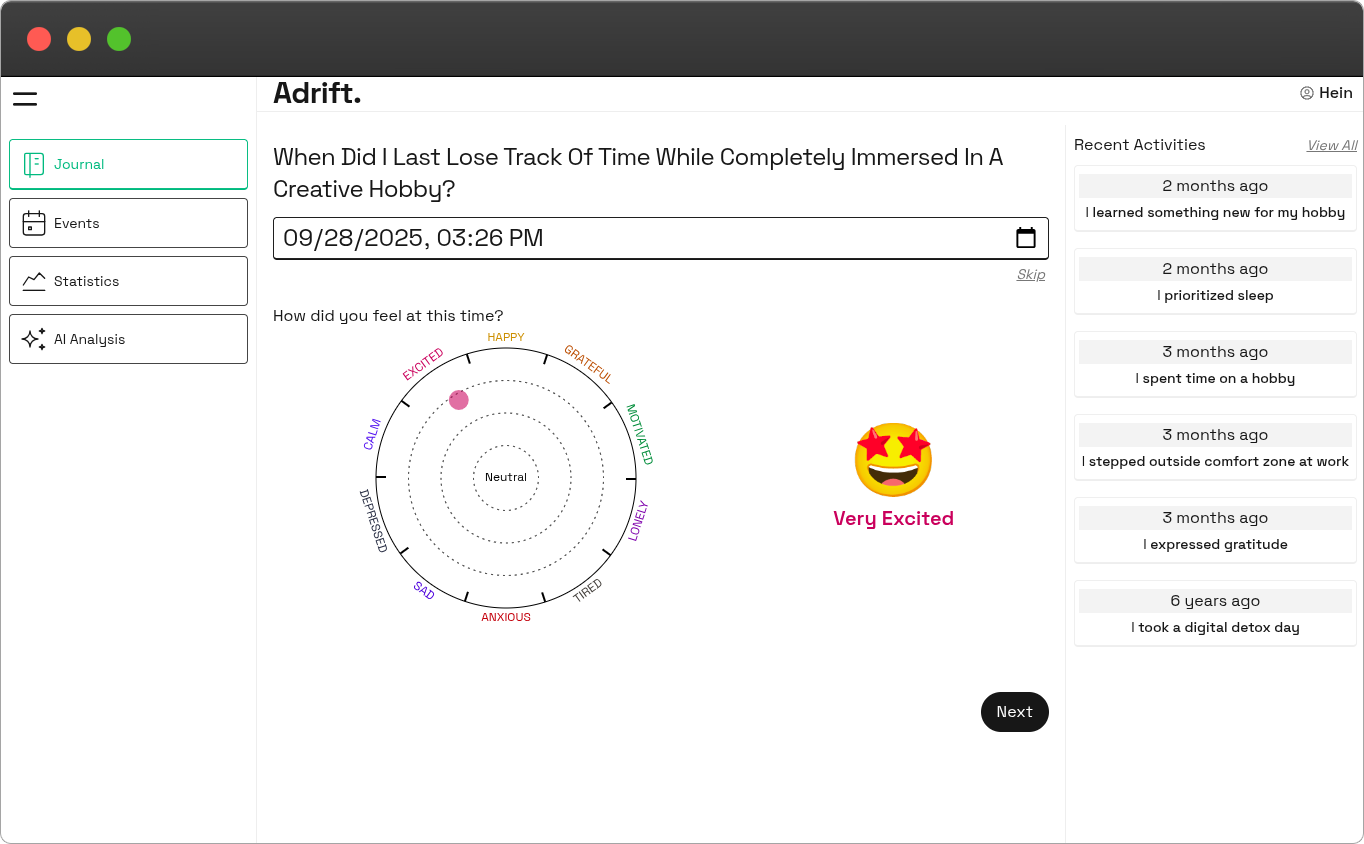
Adrift helps you reflect on memories with AI-guided prompts and it mainly solves the challenge many people (myself included) face of not knowing what to write in a journal. Other features include an emotion tracker, an event timeline and an emotional insight report based on your recent entries.
This app was built within 3 days, and I could built it easily by using Puter.js as the backend which provides authentication, cloud storage and LLM integration. The app is essentially a showcase of Puter.js. However, I feel quite proud of how the design and overall experience turned out.
- Rating: 10/10
- Building it was quite fun and also using it bring me some good memories.
- Difficulty: 3/10
- I had a clear mental blueprint for this app and executing it was quite easy.
- Time spent: 3 days
Comix: Gamified commits tracker
Link: https://comix-dev.vercel.app/
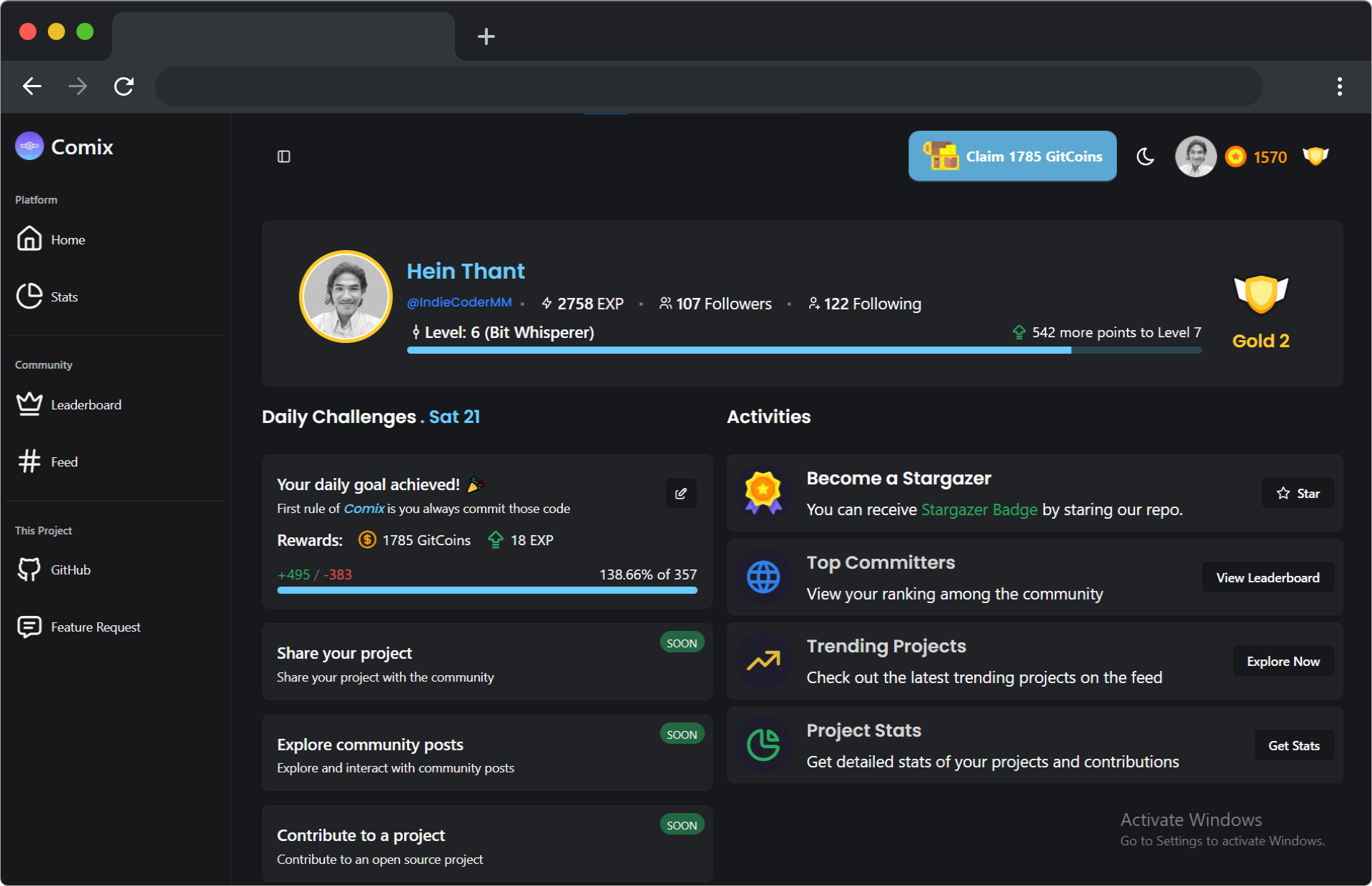
I’ve always wanted to gamify my coding, so I built this app to tracks GitHub commits and rewards users with coins and points. You can select daily goals to boost your rewards, spend coins to promote open-source projects, compete on a global leaderboard and take on daily challenges. It is currently a proof of concept of these features and all main functionalities are completed.
- Rating: 5/10
- I feel a bit unsatisfied with the project because it still feels half-finished and many features need more polish.
- Difficulty: 8/10
- I learned a lot while building this project, such as advanced Next.js features, tRPC, Redis, Drizzle and other backend development. I mostly build frontend stuff, so this single project was very educational for me.
- Time spent: 3 months
Memio: Memory games
Link: https://memio-pro.vercel.app/
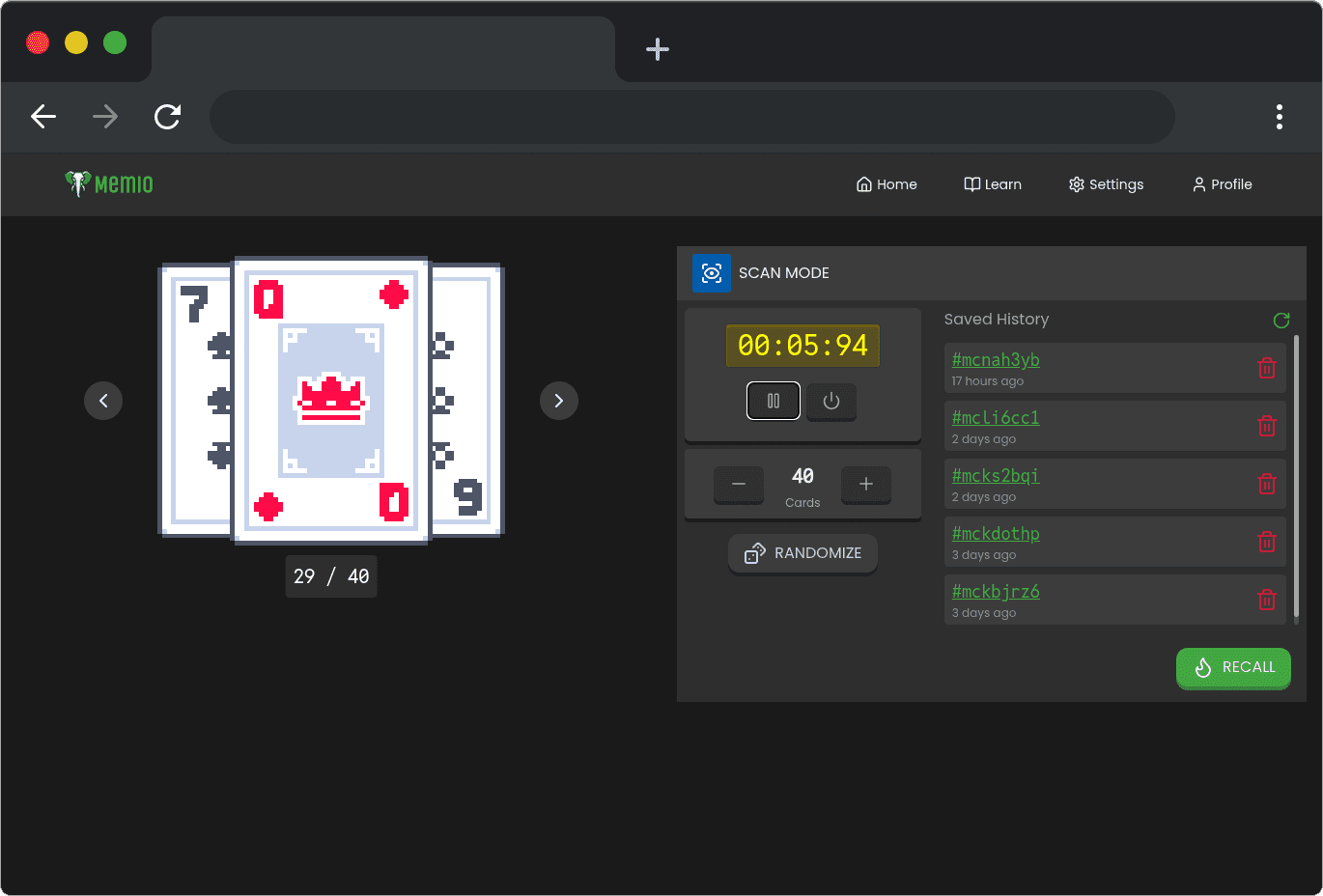
These are a collection of memory training games to strengthen focus and recall. They include games for memorizing a chessboard, a deck of cards, digits, binary, etc. I built this app because I wanted to practice memory techniques I learned.
- Rating: 10/10
- It was fun to build, and I’m very satisfied with the result. I plan to add more games in the future.
- Difficulty: 6/10
- Main challenges come from creating performant animations and designing an enjoyable UX.
- Time spent: 2 months
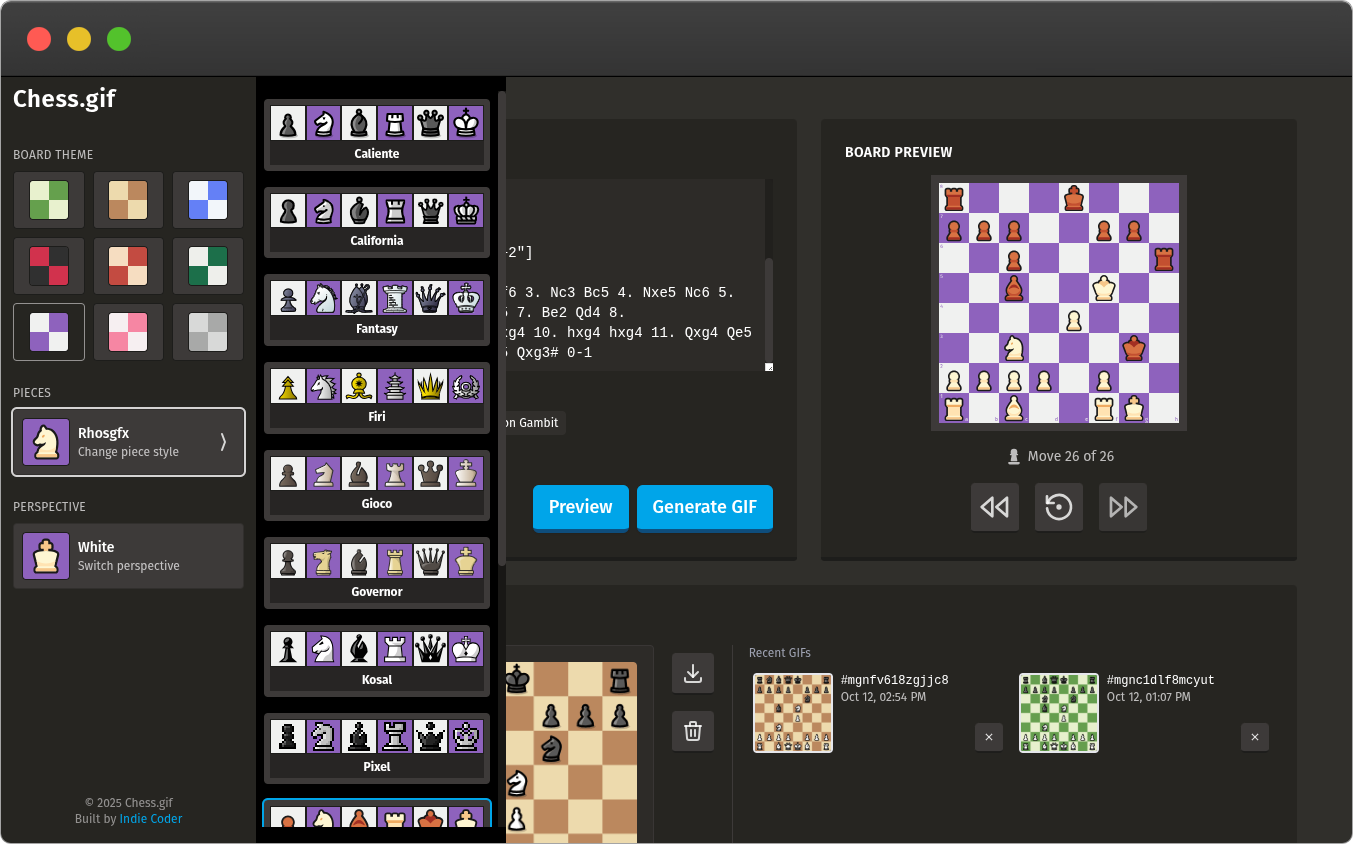
Chess.gif: Gif generator for chess
Link: https://chess-gif.vercel.app/
This one was also quite a fun project. I built it around the time when I was playing a lot of chess. I needed a quick and easy way to share my brilliant chess games with friends, and there was no solution that satisfied me. So I built this tool which not only generates GIFs from PGNs but also allows customization with various themes.
- Rating: 10/10
- UI was greatly inspired by chess.com and it became one of my favorite designs.
- Difficulty: 8/10
- There were some challenges in figuring out how to draw step animations and how to optimize GIF generation.
- Time spent: 1 month
Tweet.me: Tweet image generator CLI
Repo: IndieCoderMM/tweet-me
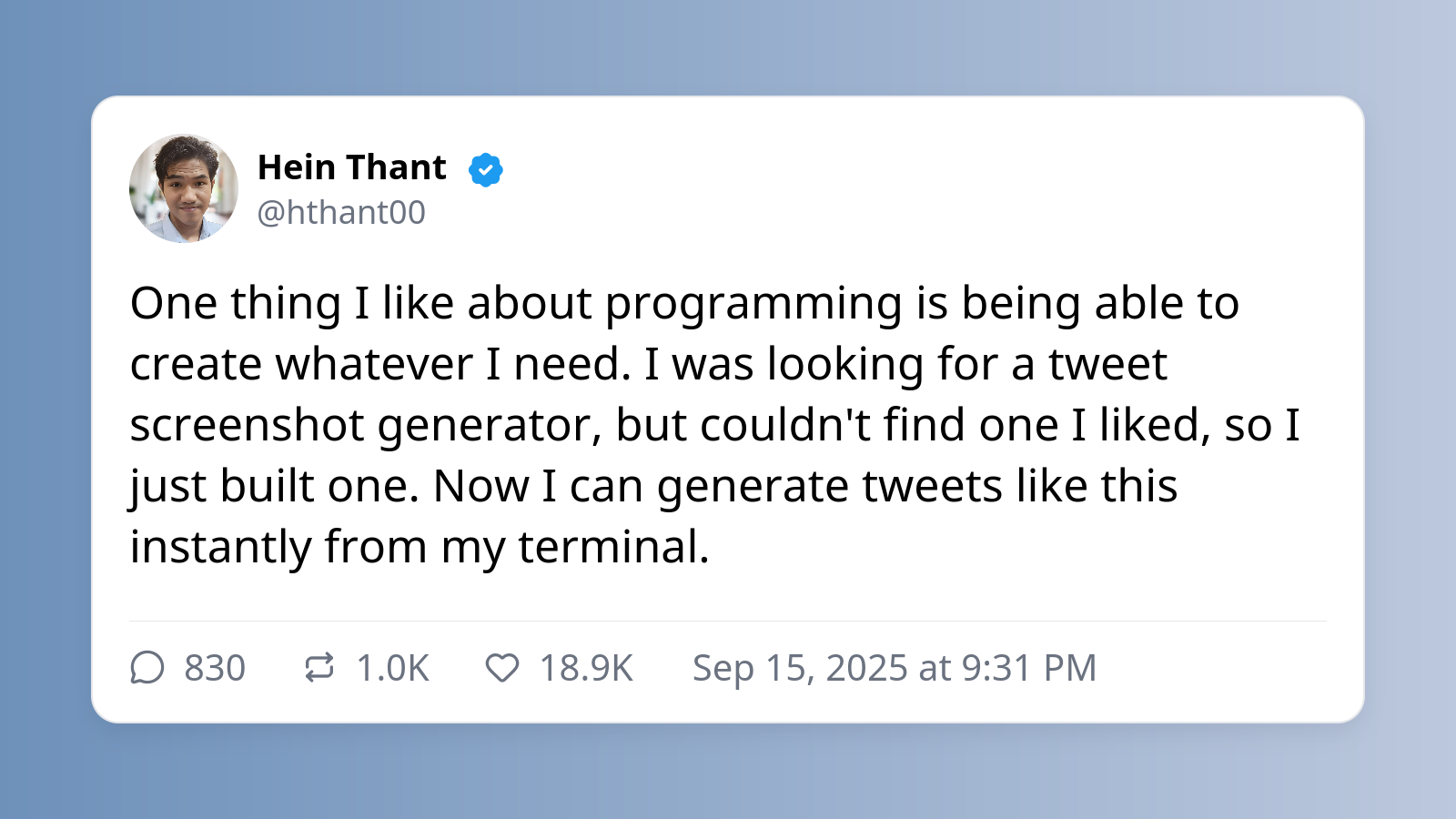
This project made it onto the list because I use it from time to time and really like it. There’re not many technical details to explain. It is simply a template generator that fills an HTML layout with user input and then exports it as an image.
The real value for me is that it runs directly inside the terminal. Whenever I have a thought or idea I want to share, I just type tweet-me and write it down. The tool auto generates the image and stores it in a folder so I can revisit and post it later.
- Rating: 7/10
- It works well enough, though I still have a few ideas for making it better.
- Difficulty: 3/10
- This project was basically one-shot built by ChatGPT.
- Time spent: 1 week
- I spent time for tweaking the CLI experience and image design.
Conclusion
This year taught me that the best way to build a project successfully is to work on something that genuinely interest you and actually solve a problem for yourself.
When you focus on creating something useful first, the work becomes fun and learning happens naturally.
Happy coding!